Premium Ultrabook
Best overall
Balanced CPU, excellent screen, and battery that survives real workdays without fan drama.
Best for
Work & travel
Price
$1,200–$1,900

The 10 best laptops of 2026 ranked for work, study, and gaming, compared on battery life, build quality, and real-world speed.
| Pick | Best for | Strength | Watch-out | Price band |
|---|---|---|---|---|
| Premium Ultrabook | Travel work | Battery/build | GPU limits | $1.2k–$1.9k |
| Creator 16" | Exports | Sustained CPU/GPU | Weight | $1.6k–$2.5k |
| Gaming thin | Play + carry | Frame rates | Noise/heat | $1.3k–$1.8k |
| Chromebook Plus | Students | Battery/simplicity | App limits | $350–$600 |
| Budget 15" | Office basics | Price | Screen/build | $450–$700 |
| Desktop 18" | Home power | Performance | Portability | $1.8k–$2.8k |
In 2026 the best laptop is rarely the one with the loudest GPU sticker. It is the one that still feels fast at 4 p.m. with a realistic battery left.
Premium Ultrabooks win overall because most buyers need portability, display comfort, and all-day battery more than desktop-replacing heat.
Laptop marketing in 2026 still pretends everyone needs a desktop-class GPU in a thirteen-inch shell. Most people do not. They need a machine that opens instantly, survives a workday away from outlets, stays readable outdoors or in offices, and does not sound like a leaf blower during a video call. That is why the Premium Ultrabook sits at number one: it optimizes for the median ownership week, not the peak benchmark screenshot.
Creators who export video for a living should skip straight to Creator 16-inch class machines and treat fan noise as a cost of sustained performance. Students who live in browsers can save hundreds with a Chromebook Plus and put money toward a better backpack or headset. Gamers must be honest about whether they need portable frames or can keep a console/desktop at home and travel lighter.
RAM and storage configuration matter more than shaving fifty dollars on a base model you will regret. In 2026, 16GB is the practical floor for mixed work; 32GB is comfort for heavy tabs and light creation. SSD capacity is cheaper to get right at purchase than to externalize forever.
Buy the laptop for Thursday afternoon battery anxiety, not Monday morning unboxing excitement.
If you cannot name your top three weekly apps, you are not ready to choose a chassis class.
Keyboard travel, trackpad accuracy, and webcam placement sound unglamorous until you spend eight hours a day in them. Spec sheets rarely capture whether your palms rest comfortably or whether the spacebar rattles. Whenever possible, type on a floor model with the same keyboard family before you commit, especially if you write long documents or code.
Display quality is the other silent satisfier. A bright, well-tuned IPS or OLED panel reduces fatigue and makes color work trustworthy. A dim, oversaturated budget panel makes everything feel cheaper than the CPU deserves. Prioritize resolution and brightness for your environments: cafes and flights punish dull screens.
We weight real battery under mixed productivity, sustained performance rather than burst scores, build and repair outlook, display comfort, input devices, thermals/noise in quiet rooms, and value. Gaming scores only dominate when the machine is sold as a gaming laptop; otherwise GPU horsepower is a bonus, not the plot.
We treat soldered RAM as a warning when base configurations are tight. We treat vendor bloatware as a negative. We treat excellent keyboards and trackpads as first-class features because they are the product surface you touch continuously.
Port selection deserves its own paragraph because dongle life is ownership friction. A beautiful ultrabook that needs three adapters for HDMI, wired Ethernet at hotels, and an SD card from a camera becomes annoying fast. MagSafe-style or well-implemented USB-C charging helps, but video output and card readers still matter for students and creators.
Update commitments differ wildly. Some vendors deliver steady BIOS and driver updates; others abandon last year’s model when the new keynote hits. Longevity is part of value: a slightly slower machine with five years of sensible updates can beat a faster orphaned chassis.
Ultrabooks prioritize thinness, battery, and quiet fans. Creator laptops prioritize displays and sustained loads. Gaming laptops prioritize GPU headroom and accept bulk and noise. Chromebooks prioritize simplicity and cloud workflows. Convertibles prioritize stylus and flexibility. Desktop replacements prioritize power at home.
Crossing classes casually creates regret. Buying a gaming laptop for email because it was on sale means carrying heat and weight you never use. Buying an ultrabook for 4K timeline exports means waiting and throttling. Name the class first.
Weight thresholds are personal but real: under 1.4 kg feels like a bag companion; over 2.2 kg feels like a deliberate haul. Battery claims of “twenty hours” usually assume dim slideshows. Trust mixed browsing + docs + calls testing narratives more than video playback only.
Hinges and chassis flex predict how a laptop ages in backpacks. A creaky machine in month two rarely becomes solid later. Magnesium and well-finished aluminum generally beat hollow plastics that twist near the trackpad.
Battery life is a system: panel brightness, efficiency silicon, background apps, and radio use. The best 2026 ultrabooks make a full workday plausible at moderate brightness. Gaming chassis on battery often become secondary web machines, plan chargers accordingly.
Thermals are social. A laptop that screams during a client call fails even if benchmarks look fine. Prefer designs with sensible fan curves and vapor chambers that keep keyboards from becoming hotplates.
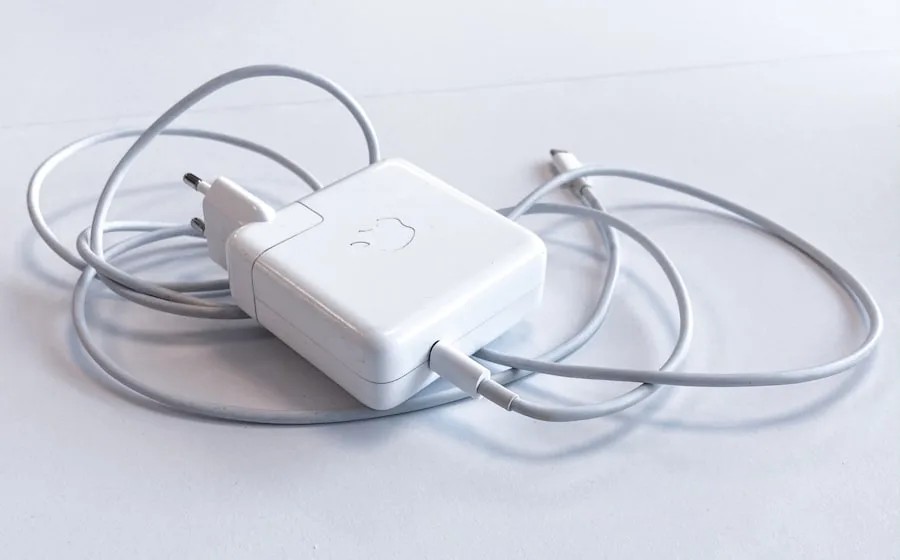
Charging brick size is part of travel pain. GaN adapters help. USB-C PD compatibility across phone and laptop reduces kit count. If your laptop demands a proprietary brick only, factor that into “premium” claims.
In warm climates or summer apartments, thermal headroom shrinks. Machines that barely stay quiet in a showroom may become loud at 30°C ambient. Creators in hot rooms should prefer larger chassis with more radiator area.
Base models exist to advertise a price. They often cripple RAM or use slower storage. Upgrading at purchase is usually cheaper than regret. Prioritize RAM first for multitasking longevity, then SSD capacity for your file reality.
Cloud storage helps but does not erase the need for local speed when editing offline or dealing with spotty campus Wi-Fi. External SSDs are excellent companions; they are not an excuse for an anemic internal drive if you work from the internal volume daily.
Soldered memory is acceptable when the base config is already future-proofed. It is hostile when vendors ship 8GB in 2026 and call it enough for “AI PCs.” Read the configuration grid carefully.
Operating system choice still matters: Windows for broad app compatibility, macOS for a tight creative ecosystem if you already live there, ChromeOS for simplicity, Linux for developers who want control. TipTop-10 ranks hardware classes; ecosystem fit is your constraint.
Portable gaming in 2026 is viable in thin chassis with mid GPUs, but you are buying noise and shorter battery under load. If you game mostly at a desk, a desktop plus ultrabook combo can beat one heavy hybrid emotionally and financially.
Students should optimize for battery, keyboard, and durability more than esports frames. Chromebook Plus machines cover a surprising amount of coursework. Windows budget 15-inch models remain fine for specialized software that ChromeOS cannot run.
Campus theft and drops are real. Avoid jewel-like finishes you will baby nervously. Consider accidental warranty if you are hard on gear. A sleeve is cheaper than a cracked display.
For gaming, validate multiplexer options (iGPU vs dGPU switching), advanced Optimus-style behavior, and whether the laptop can drive an external monitor while staying efficient. Living-room couch gaming with HDMI out is a valid use case.
Skip it if you edit long 4K timelines weekly, get a creator chassis. Skip it if you chase high frame-rate competitive games, get a gaming laptop or desktop. Skip it if your budget is truly student-tight and your apps are browser-based, Chromebook Plus is the rational win.
Keep the ultrabook if your life is meetings, documents, browsing, light photo edits, and travel. That remains the majority.
Chassis class mismatch is the most expensive laptop mistake.
Hybrid workers who dock at a monitor should still care about laptop screens for meetings and travel days. Do not buy a terrible panel just because a 27-inch monitor waits at home.
If you already own a great monitor, keyboard, and mouse, you can sometimes choose a slightly less premium laptop body and still feel high-end at the desk, just do not cripple the portable experience you use three days a week.
Do you need an “AI PC” NPU? Only if your software actually uses it meaningfully; otherwise treat it as a bonus. Is OLED worth it? Yes for media and creation if you manage static UI habits; IPS remains excellent and safer for some static workflows.
How long should a laptop last? Four to six years is a healthy target with good updates and enough RAM. Should you buy extended warranties? More justified for accident-prone students than for careful desk workers.
Refurbished business ultrabooks from reputable sellers can outperform new budget consumer machines. Inspect battery health metrics and keyboard wear. Corporate off-lease units are often sleepers.
Touchscreens help convertibles and kiosk-like tasks; they drain battery and add reflections for pure typing work. Do not pay for touch by default.
Write your weekly software list. Pick a chassis class. Configure RAM/SSD sanely. Then compare specific models on keyboard, display, battery narratives, and ports. Ignore launch CPU theater until those are satisfied.
TipTop-10 will update this ranking as silicon efficiency and display tech shift through 2026. The ownership test stays stable: does it still feel like an ally at the end of a long day?
If you are between two models, prefer the better display and keyboard over a minor CPU bump. You see and feel those all day; you benchmark the CPU twice.
Keep packaging until you confirm ports, Wi-Fi behavior, and battery discharge patterns in your real routine. Early returns beat years of quiet resentment.
A great backpack with a laptop sleeve prevents more damage than most cosmetic armor stickers.
Disable startup junk on day one; battery life is partly a software hygiene habit.
External SSDs labeled with realistic sustained speeds beat fantasy peak numbers for 4K footage offload.
Launch calendars will keep inventing new labels for laptop buying. Most of those labels rearrange old trade-offs. Your job as a buyer is to name the constraint that actually hurts, battery, fit, noise, ports, privacy, dock size, update length, and refuse products that ignore it.
TipTop-10 would rather publish a shorter honest shortlist for laptop buying than pad a top ten with near-identical clones. If two picks differ only by colorways, we say so and push you toward the cheaper or more repairable option.
Retail demos for laptop buying are optimized for bright lights and short attention. Ownership is optimized for Thursday evenings, travel days, and the boring middle of a product’s life. Rank those contexts higher than the demo loop.
Accessories, subscriptions, and consumables can rewrite the true price of laptop buying. Add them on paper before you congratulate yourself on a sale price. A “deal” that requires three proprietary refills is not a deal.
If you are choosing between two close options in laptop buying, prefer clearer returns, better spare-parts availability, and documentation you can understand without a forum scavenger hunt.
Software abandonment is an ownership risk across laptop buying. Prefer vendors with a boring history of updates over vendors with a thrilling history of rebrands.
Travel changes the calculus for laptop buying. Size, cable count, watt-hour labels, and one-handed use matter more in airports than they do on a review bench.
Sustainability for laptop buying is partly longevity: buying once and keeping a product for years beats recycling a stack of disappointed upgrades. Repairability and durable basics support that goal better than recycled packaging stickers alone.


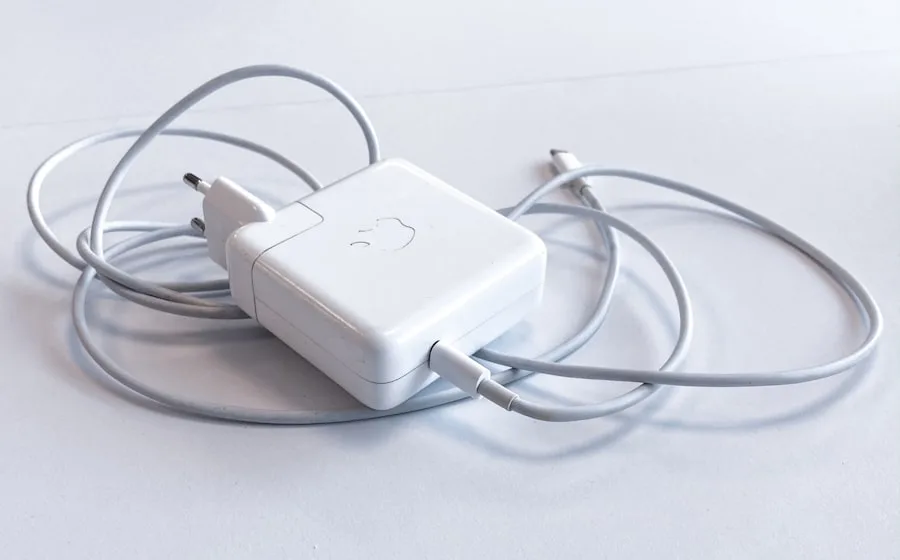
Pair your laptop pick with monitors, earbuds, and charging guides built the same way.